

- Joined
- Dec 19, 2021
- Messages
- 1,123
- Points
- 83
Hello all,
I'm happy to announce the dual releases of Cactus 5.7.0 (Linux) and Cactus 4.0.1 (Windows). These are both maintenance updates to tweak and polish a few things.
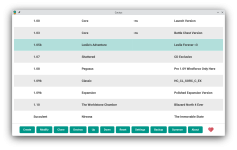
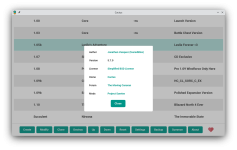
On the Linux side, I've decided to switch back to the traditional and minimalistic theme/style that the Windows one had. Providing less visual stimulation and helping to declutter the mind. Thus, most of the icons have been removed. In addition to reverting the theme to having text based buttons rather than image based buttons, I've adjusted the "Donation" image to be a "Heart" image. For all shards that are not active, there will no longer be an icon displayed, so this should keep the UI cleaner. The "Orb" icon that was previously used for the Summon button is now used for the "Active" summoned process.
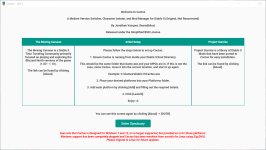
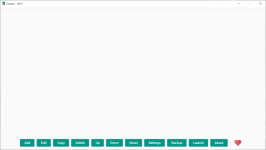
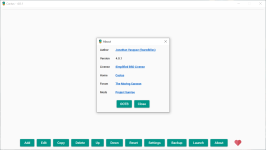
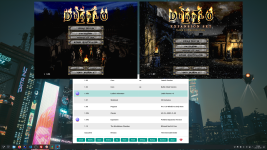
On the Windows side, I've added an end of life notice to the OOTB experience screen that is displayed in red and italic letters at the bottom of the page. This clearly lets all Cactus for Windows users know the current state of things and the recommended migration path for future updates. Additionally, I've fixed any broken links that have occurred since the migration to Linux, most importantly the Cactus Ports Collection is now Project Sunrise. So I've updated the About page to align with the Cactus for Linux links. Lastly, I've also added the donation button (Heart) to the Windows version as well.
You can continue to download Cactus from the usual location.
Take care all and stay safe,
Jonathan
Screenshots and Patch Notes Below!
Cactus 4.0.1 (Windows) Patch Notes
Cactus 5.7.0 (Linux) Patch Notes
Cactus 4.0.1 Screenshots
Cactus 5.7.0 Screenshots
I'm happy to announce the dual releases of Cactus 5.7.0 (Linux) and Cactus 4.0.1 (Windows). These are both maintenance updates to tweak and polish a few things.
On the Linux side, I've decided to switch back to the traditional and minimalistic theme/style that the Windows one had. Providing less visual stimulation and helping to declutter the mind. Thus, most of the icons have been removed. In addition to reverting the theme to having text based buttons rather than image based buttons, I've adjusted the "Donation" image to be a "Heart" image. For all shards that are not active, there will no longer be an icon displayed, so this should keep the UI cleaner. The "Orb" icon that was previously used for the Summon button is now used for the "Active" summoned process.
On the Windows side, I've added an end of life notice to the OOTB experience screen that is displayed in red and italic letters at the bottom of the page. This clearly lets all Cactus for Windows users know the current state of things and the recommended migration path for future updates. Additionally, I've fixed any broken links that have occurred since the migration to Linux, most importantly the Cactus Ports Collection is now Project Sunrise. So I've updated the About page to align with the Cactus for Linux links. Lastly, I've also added the donation button (Heart) to the Windows version as well.
You can continue to download Cactus from the usual location.
Take care all and stay safe,
Jonathan
Screenshots and Patch Notes Below!
Cactus 4.0.1 (Windows) Patch Notes
General
---------
- Updated links in the About section.
- Added a donation button (Heart).
- Added an End of Life message to the OOTB.
Cactus 5.7.0 (Linux) Patch Notes
General
---------
- The theme has been reverted to the traditional, minimalistic
look of Cactus 4. Keeping a simpler, less visually stimulating,
but still elegant look.
- The donation button image has been changed to a heart to match
the same style that is used in the Cactus 4.0.1 update.
- The icon used for an "Active" process has been changed to
the orb icon that was previously used for the "Summon"
button.
- Inactive processes will no longer show a "Shard" icon.
This should help with the minimalistic Cactus look,
helping to declutter the mind.
- Slight adjustments to the window size (a bit smaller).
Cactus 4.0.1 Screenshots
Cactus 5.7.0 Screenshots
Last edited:

 . Also consider registering!


